
ClipBake Logo
ClipBake
AI Video Knowledge Basev1.0 Beta

The Second Brain for Your Raw Footage

Bookmark moments with your own notes. Search them months later with AI, and export straight to Adobe Premiere, DaVinci Resolve, or MP4.

Natural language AI search
Export to Premiere & DaVinci XML
No software installation needed
ClipBake — Workspace
4K • 24 FPS
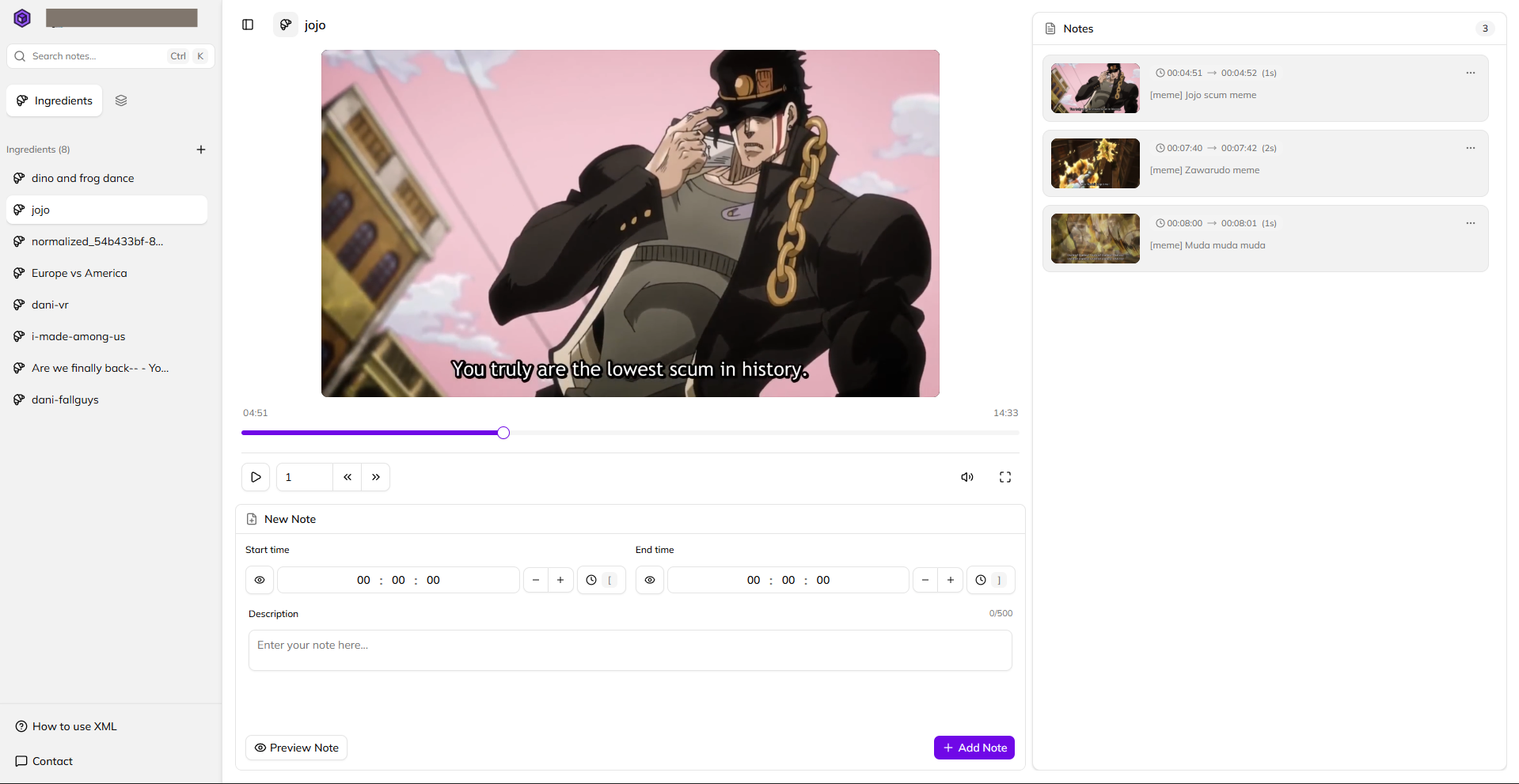
ClipBake Application Interface

Core Capabilities

Notion-style note taking, powered by Vector Search

Note down key moments, let AI index your descriptions, and retrieve any clip in seconds.

Semantic Search on Note Descriptions

ClipBake vectorizes all your written note descriptions. Search your entire note database by context or meaning—even if you don't remember the exact keywords you typed.

Search query: "funny podcast blooper"Vector Match
Description: "Host reaction during interview intro blooper"
00:12:30

Timestamped Notes

Set Start Time & End Time for any moment. Add rich descriptions to capture context instantly.

00:01:15 → 00:01:45Key Quote

CEO explaining core product vision and roadmap

Bake Queue

Select notes across multiple videos and assemble them into customized bake queues or chapters.

8 Notes Selected • 04:15 Total

Bake to Premiere XML, DaVinci & MP4

Turn your saved notes directly into editing timelines. Export to Final Cut Pro XML for Premiere, DaVinci Resolve, or render directly to MP4.

Adobe Premiere (.xml)
DaVinci Resolve (.xml)
Render Video (.mp4)

Simple Workflow

How ClipBake turns raw video into edited sequences

Understand the workflow from Ingredients to Bake Queues.

01

Upload to Ingredients

Upload your raw video files (up to 10GB). Once added to your workspace, your source videos are ready as reusable Ingredients.

Step 1
02

Annotate & Search

Add precision timestamped notes to any Ingredient. Search your note descriptions naturally with AI to find any logged moment instantly.

Step 2
03

Build Queues & Bake

Organize selected notes into custom Bake Queues (your editing timelines). Export your sequence directly to Premiere XML, DaVinci Resolve, or MP4.

Step 3

Bake Queue = Sequence / Timeline: A Bake Queue acts like a sequence in Premiere Pro or timeline in DaVinci Resolve. Organize notes across different Ingredients and export in one click.

NLE Ready
Public Beta Special Offer

Try ClipBake 100% Free During Public Beta

Get full access to our Notion-style video workspace while we prepare for official launch.

Beta Access

Free Beta Pass

$0/during beta

Includes 20GB secure cloud storage, unlimited note-taking, and unlimited XML exports during beta.

20 GB Secure Cloud Storage
Unlimited Timestamped Notes
Unlimited XML & MP4 Exports
AI Semantic Note Search
Client-Side Video Export
No credit card required. Encrypted Cloud Workspace.
Got Questions?

Frequently Asked Questions

Everything you need to know about ClipBake and our video workflow.

Premiere is built for editing a specific project, while ClipBake is built to remember your footage across all projects. In Premiere, markers are locked inside heavy timeline files and require exact keyword matches. ClipBake turns hundreds of hours of raw footage into a lightweight, searchable knowledge base—allowing you to ask AI for specific moments months later and export them straight to a fresh timeline in seconds.